All the images on this page were taken from PatientPort itself, with sample patients in demo mode. In each section you can switch between the computer and phone views. The screens with a lock icon are opened together in a live demo made for your clinic. All modules are fully included in every plan.
Real interface · Sample data from demo modeThe Operations Center gathers all of today's patients, appointments, transfers and payment statuses in one list. When a record changes, the screen updates without reloading the page.
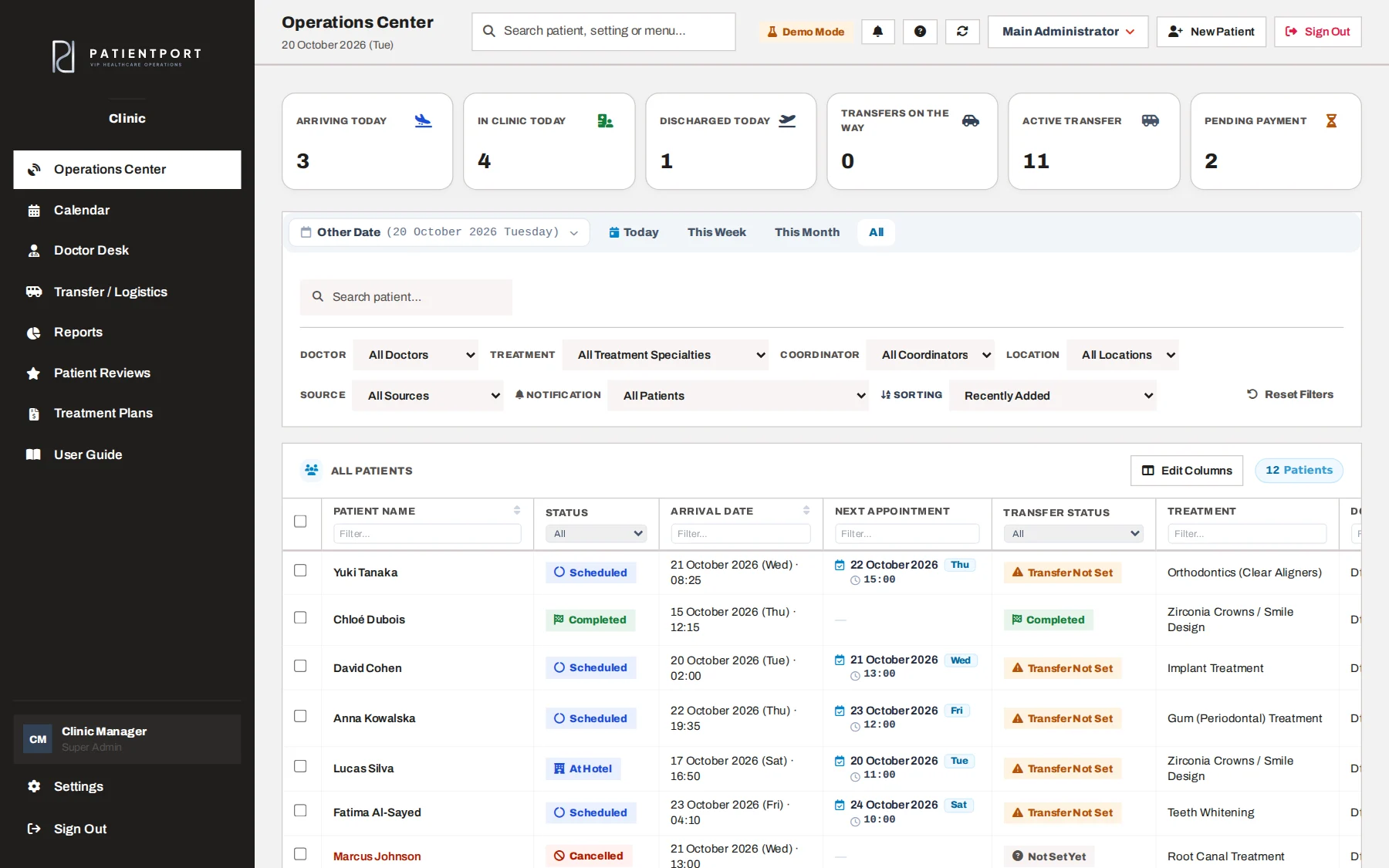
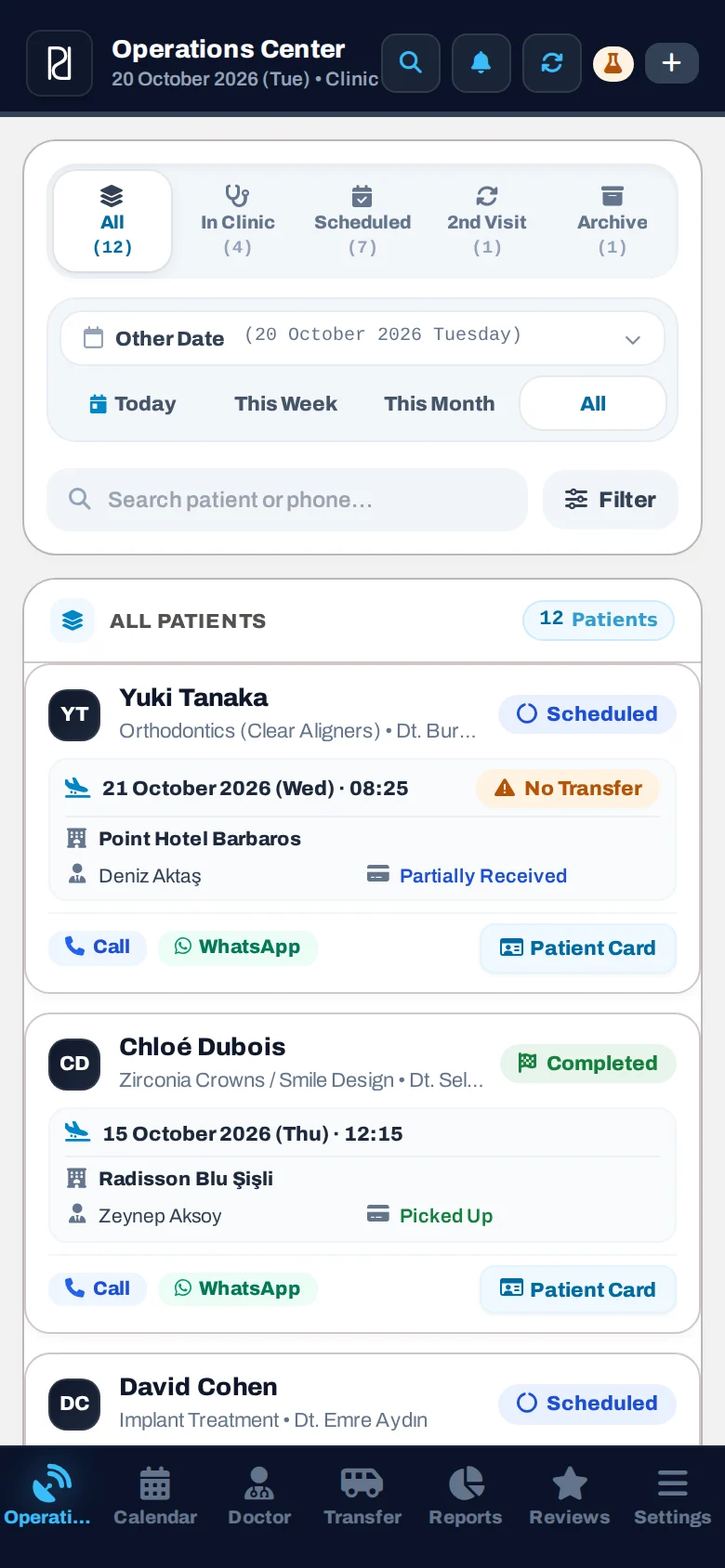
Today's summary, filters and the patient list. Status badges (Scheduled, At Hotel, At Clinic) are set automatically from the transfer records.
The patient card has five tabs: Patient Details, Payments, Transfers, Doctor and Activity Log. Changes you make on the card wait until you press Save; if you try to close without saving, you get a warning.
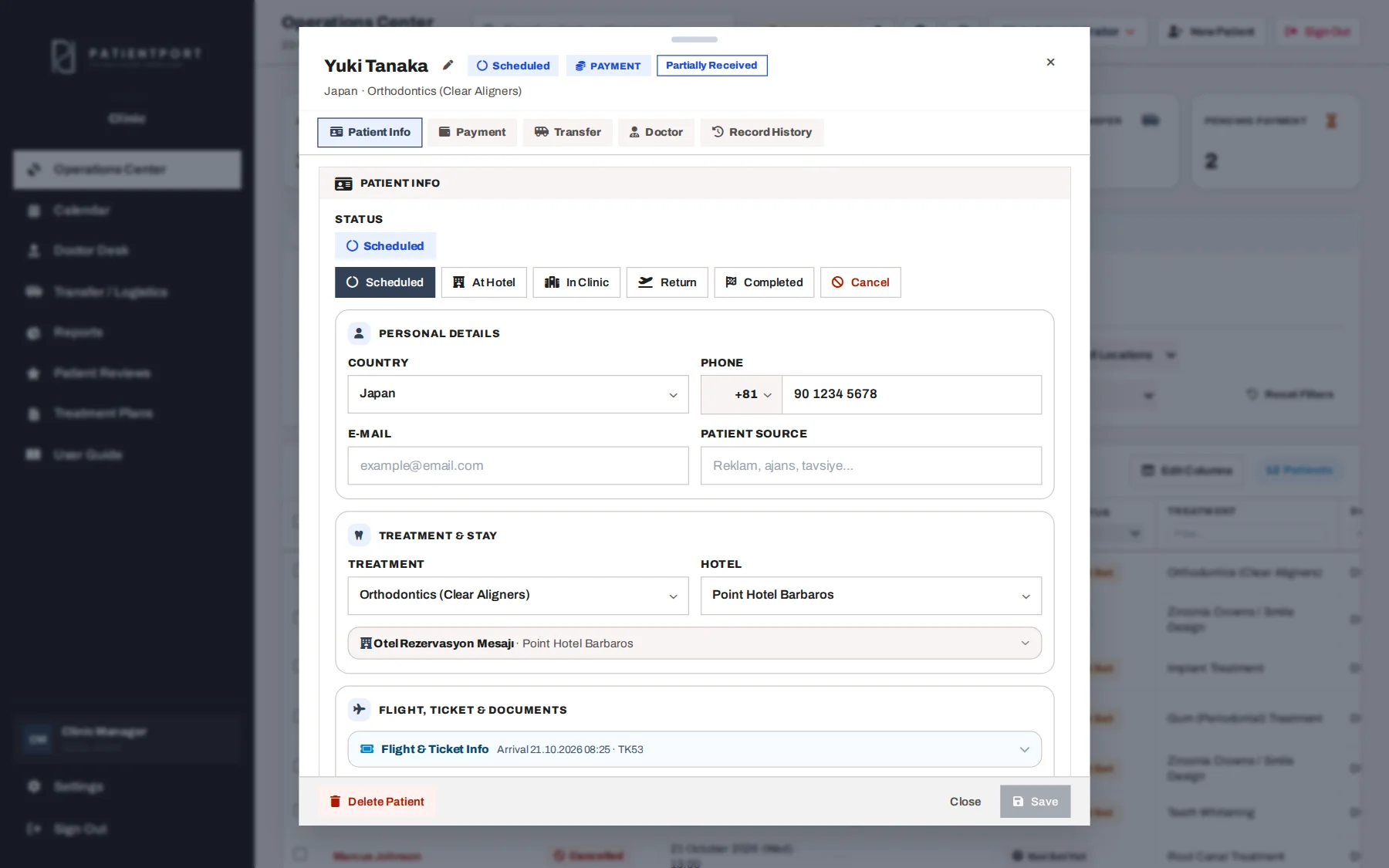
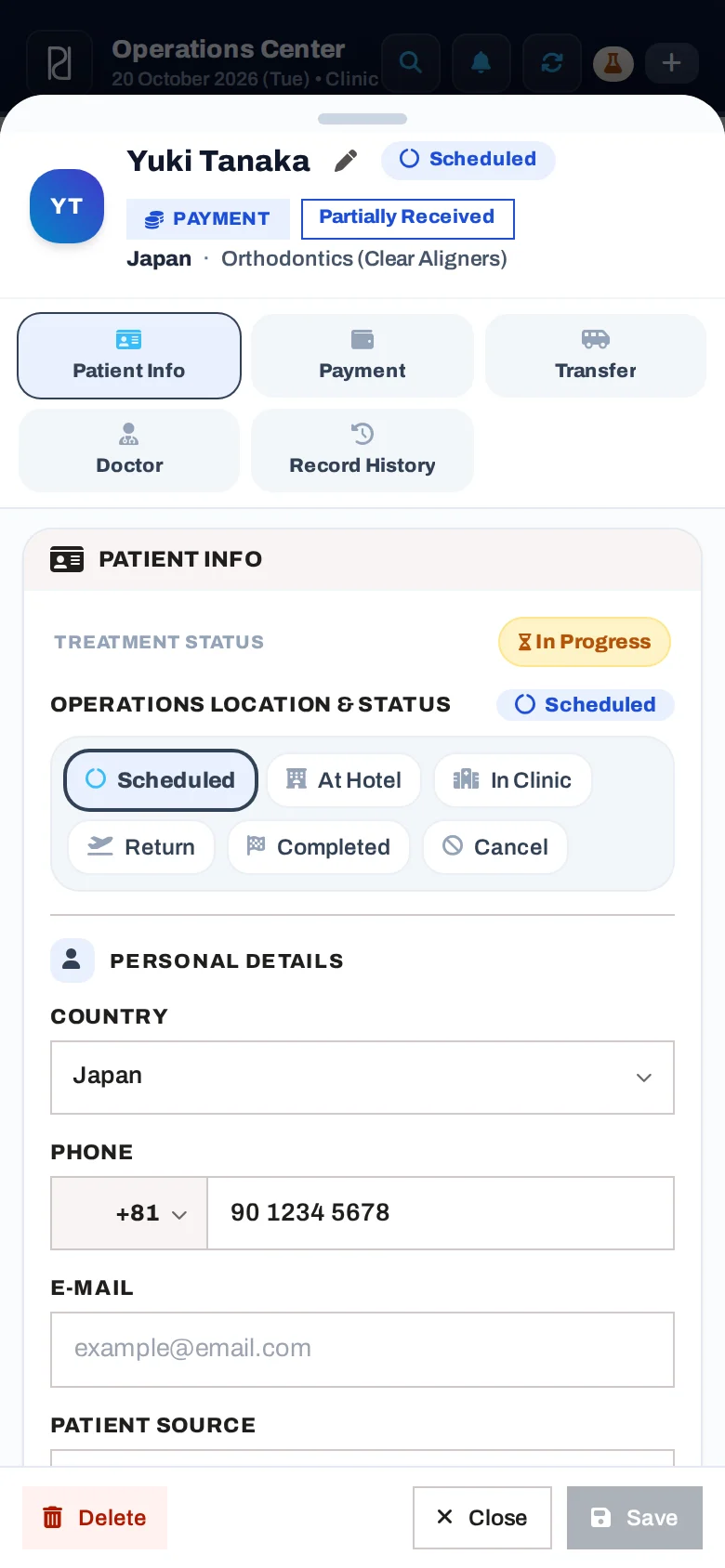
Status, country, phone, treatment, hotel, flight and ticket details and the patient's access code on one tab.
In the month view, you see the number of appointments, arrivals and departures for each day. The list view shows the day's flow in time order.
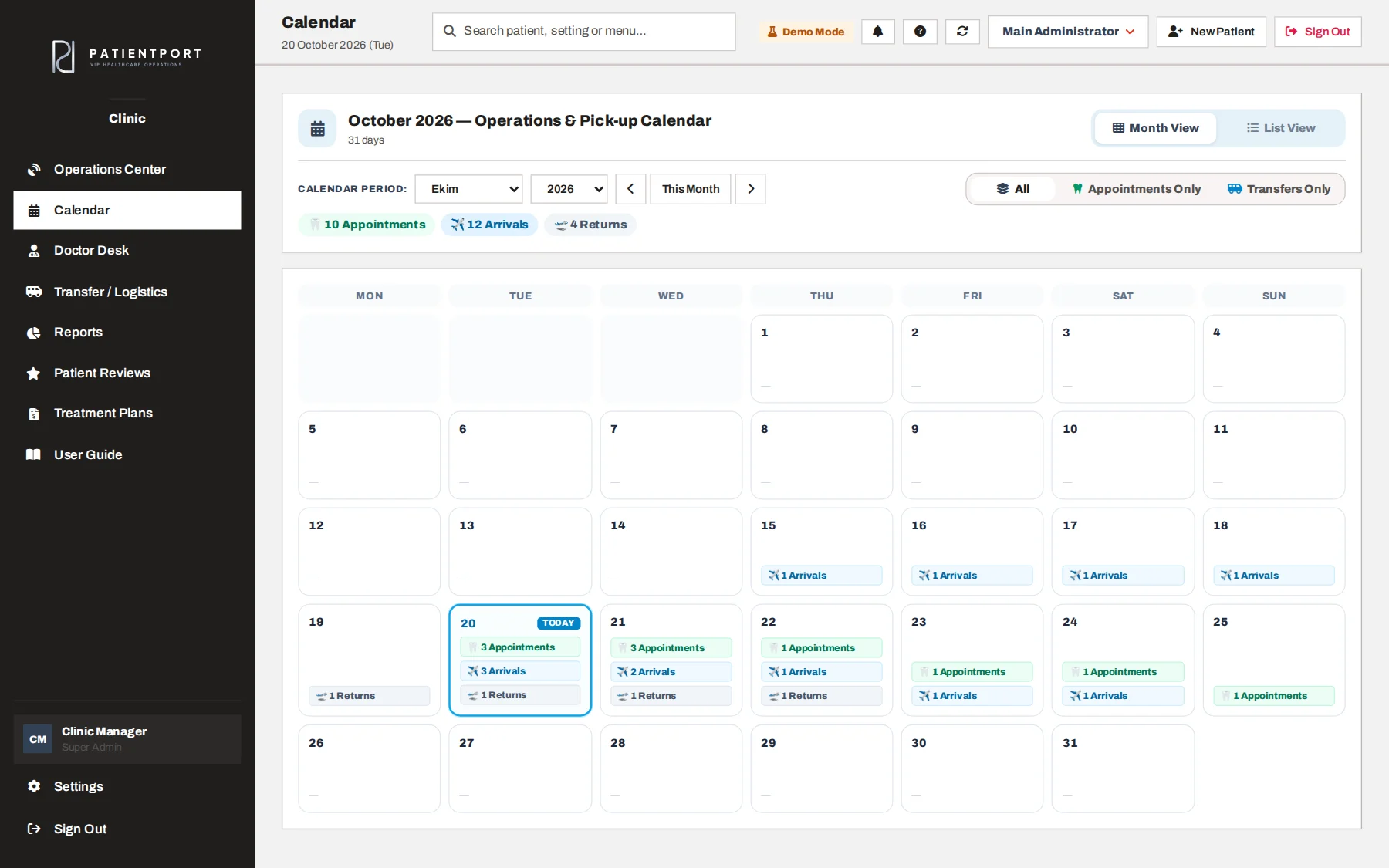
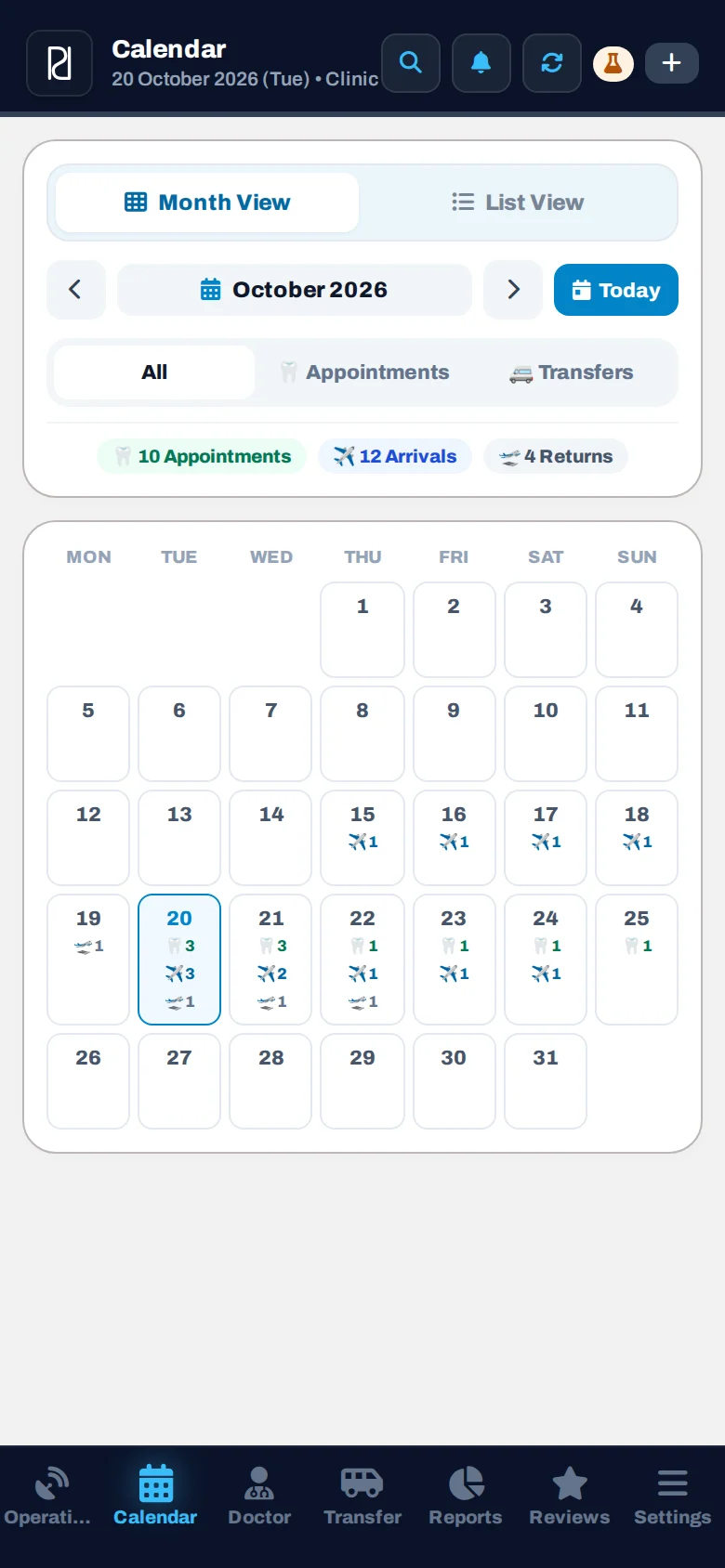
Appointments and transfers in the same calendar, with All, Only Appointments and Only Transfers filters.
Each patient's arrival, return and in-between transfers are planned separately. A driver is assigned; when they set off, the patient and the coordinator get an instant notification.
The transfer list is locked on this public page because it contains patient and driver data.
Let's look at this part together in a live demo.
The moment the driver taps "On my way", the patient's phone gets a notification like "your driver is on the way, pick-up at 09:30 (about 25 min)"; the coordinator is informed at the same time. The patient portal never shows the vehicle or plate; the driver's contact card opens only if the clinic allows it.
Let's look at this part together in a live demo.
The Doctor Desk splits the doctor's patients into active and completed cases. Appointments and treatment sessions are listed on one card, and each one can be marked as completed.
These screens are locked on this public page because they contain medical information.

Let's look at this part together in a live demo.
The total treatment price, the amount received and the remaining balance are calculated instantly. Treatment can be split into several visits, and each visit's price and remaining balance are shown separately.
This screen is locked on this public page because it contains financial information.

Let's look at this part together in a live demo.
You pick treatments from your clinic's price list; quantity, discounts and total are calculated for you. The plan is made as a Turkish or English document with your clinic's logo and contact details, and it also appears in the patient's portal.
The treatments, prices and terms in a plan belong to the clinic. The patient's acceptance in the portal is acceptance of the price quote; it does not replace the informed consent taken before treatment.
An optional program, switched off by default. If the clinic turns it on, the patient refers someone close to them from the portal; the referral reaches the coordinator and the manager. The clinic decides whether there is a reward, how much it is and how it is given.
The referred person's phone number is never included in notifications. Referrals that do not become patients are deleted automatically after a set period.
The Reports screen summarizes collections, new registrations, arriving patients and pending payments for the period and currency you choose; every user sets up their own report layout.
This screen is locked on this public page because it contains financial information.
Let's look at this part together in a live demo.
The patient logs in with their phone number and their own access code. No app needs to be downloaded. The portal opens in Turkish, English, German or Russian, depending on the patient's language.
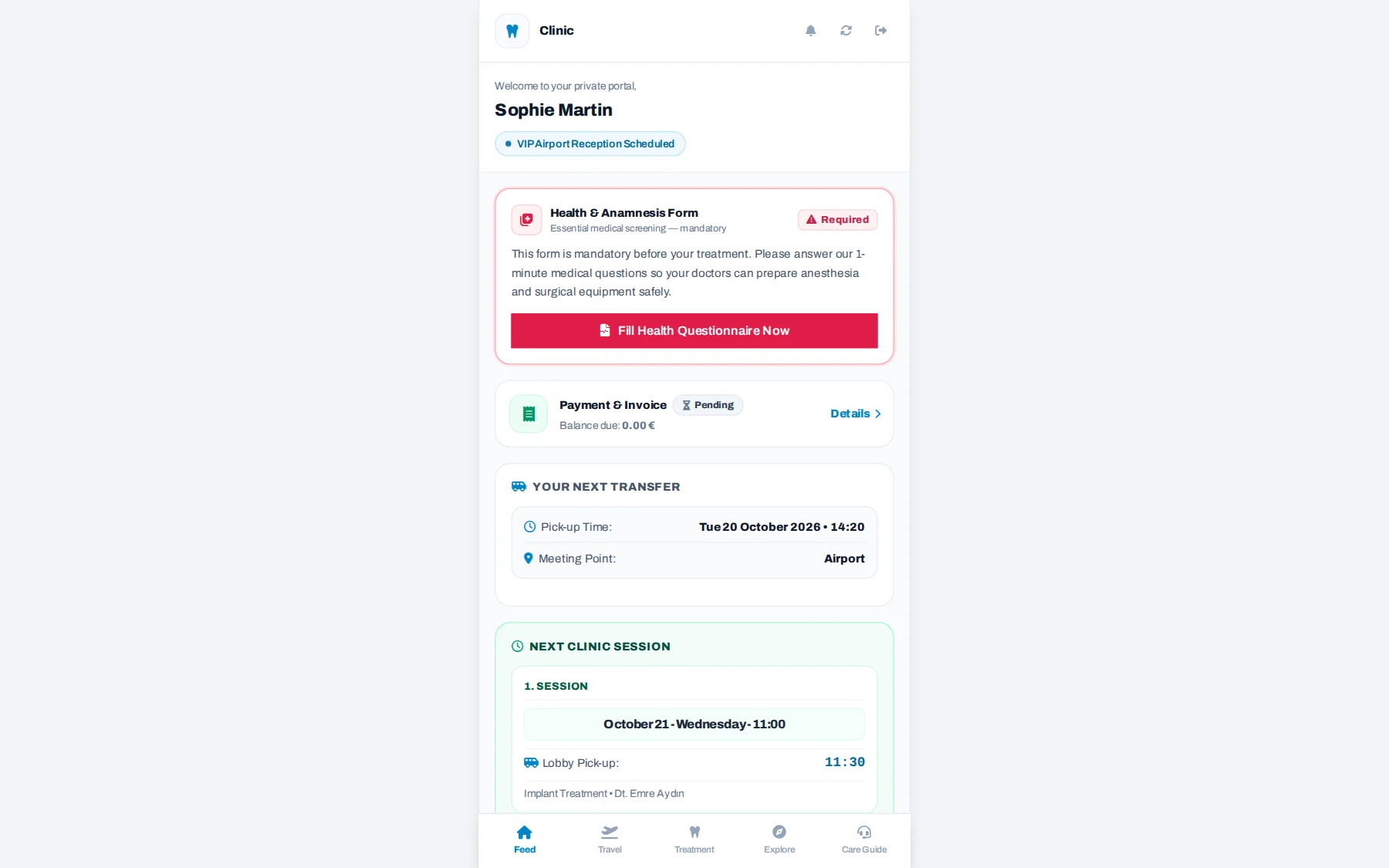
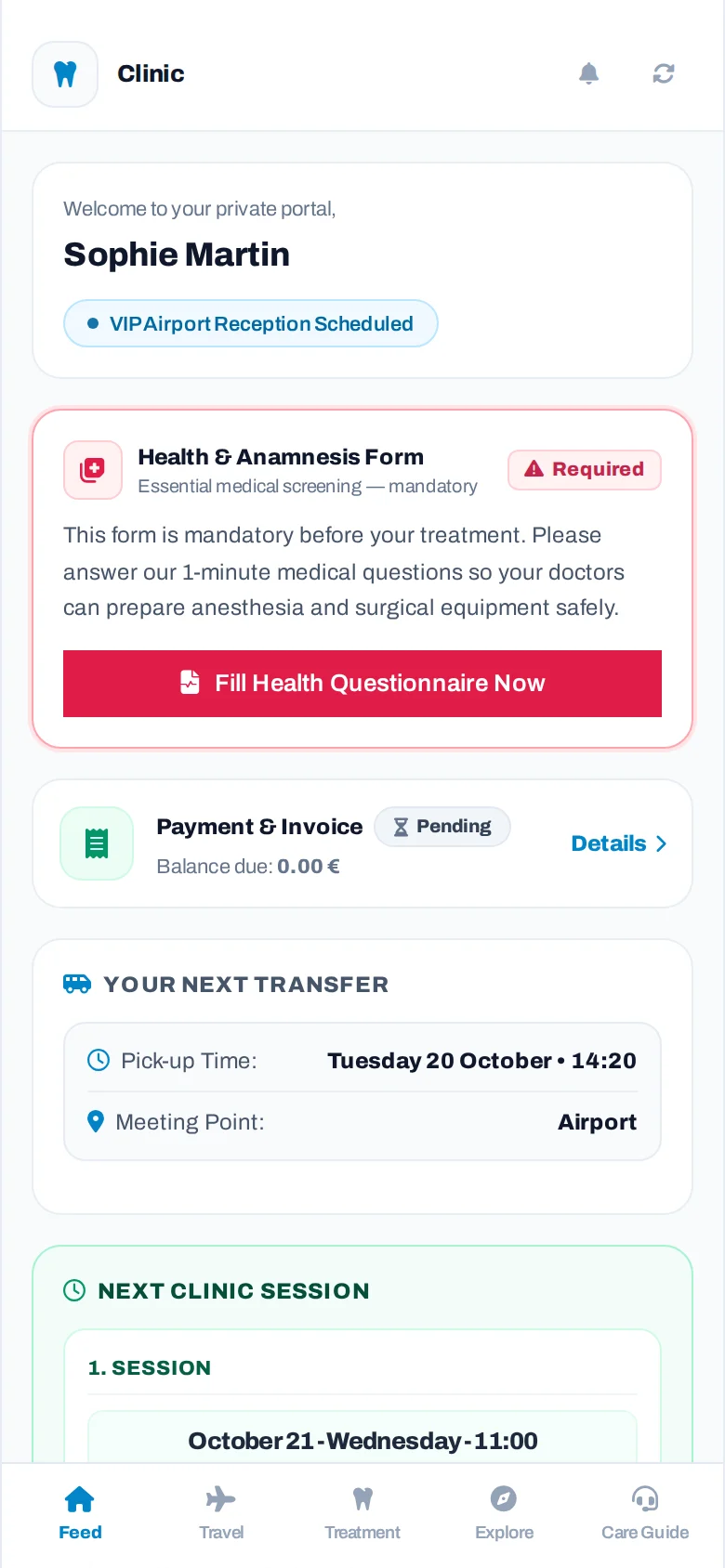
The first screen the patient sees: payment summary, transfer time and meeting point, and the treatment journey.
Staff get phone notifications for the work that concerns them. Patients can also turn on notifications in the portal to get appointment and transfer updates instantly.

Let's look at this part together in a live demo.
The operations team saves the appointment or transfer and assigns the driver.
The driver gets a new task, and the patient gets a "your appointment / your transfer is set" notification. Patient notifications are sent in Turkish, English, German or Russian, depending on the patient's language.
When the driver starts the transfer, the patient gets a "your driver is on the way" notification, and the coordinator is informed at the same time.
Notifications come through the web app added to the phone's home screen. No separate installation from the App Store or Google Play is needed.
Staff are invited by email, and you set separately which panels, which patient card sections and which table columns each role sees.
The staff and permission screens are locked on this public page.

Let's look at this part together in a live demo.
A change made on one device shows up on every open screen within a few seconds. Only the patient that changed is loaded again.
It runs in the browser and can be added to the phone's home screen like an app. There is nothing to download from a store.
Each clinic's data is kept separate at the database level. Permissions are checked on the server, not only hidden on the screen.
In a live demo made for your clinic, let's go through all the screens together with your own scenarios.