The desktop and mobile versions of PatientPort are the same system. The mobile version was designed specially for phones: a bottom menu, touch-friendly cards and one-hand use. A change made on one device appears on the other instantly.
The mobile bottom menu changes by role. For the administrator: Operations, Calendar, Doctor, Transfer, Reports and Settings. The driver's menu has only Calendar and Transfer; the doctor sees Operations, Calendar and Doctor Desk.
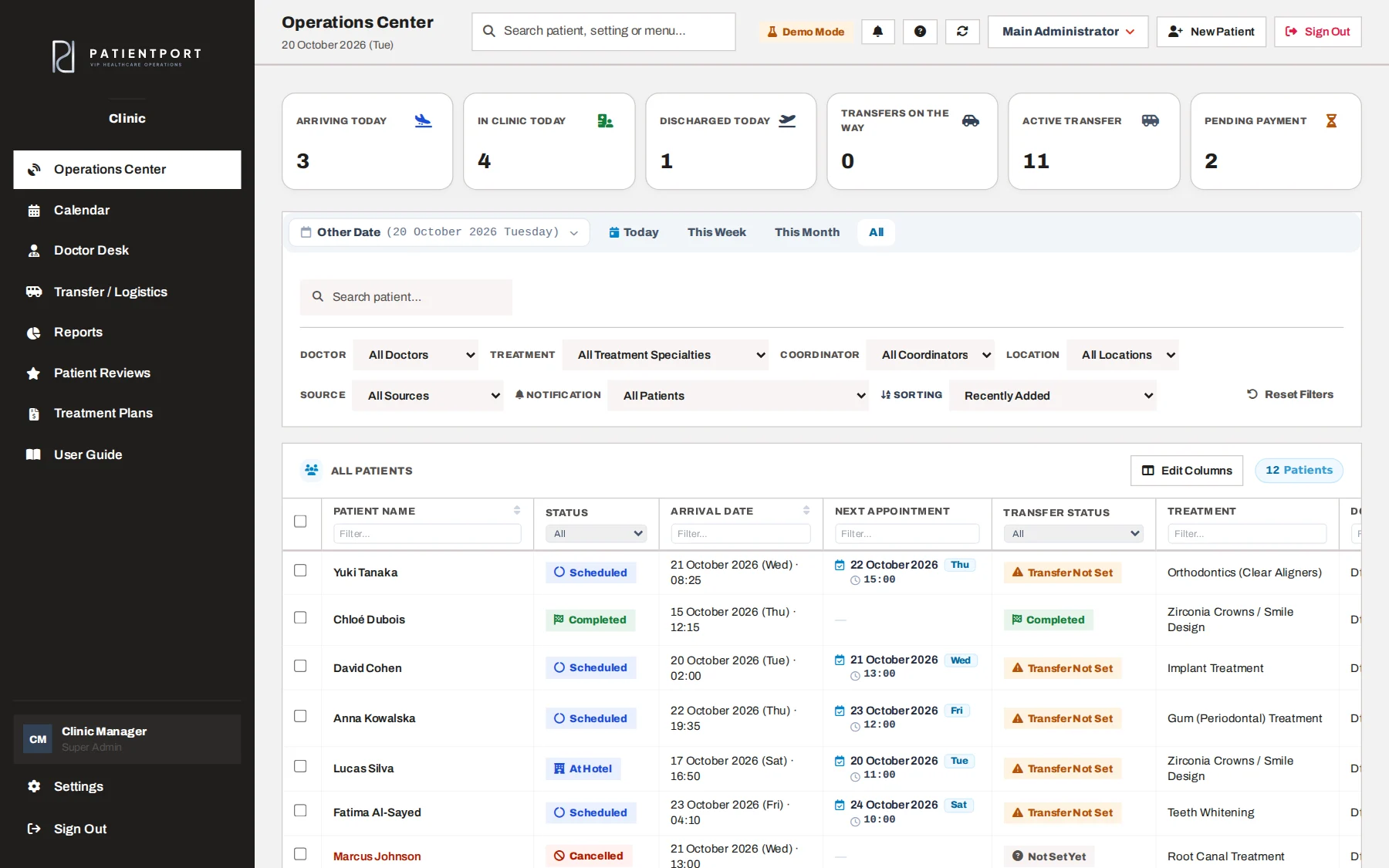
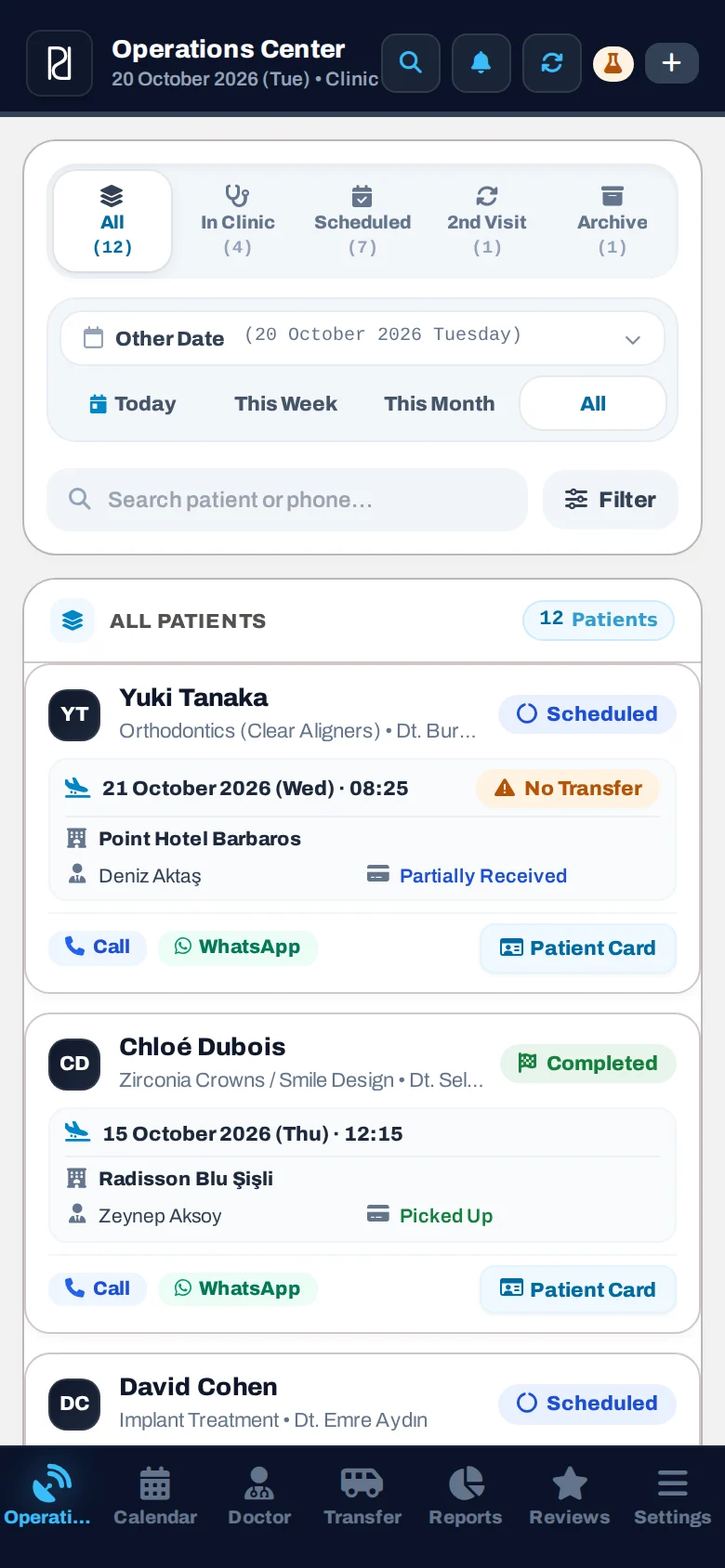
Today's summary, filters and the patient list. Status badges (Scheduled, At Hotel, At Clinic) are set automatically from the transfer records.
PatientPort is a web app (PWA). When added to the phone's home screen, it opens full screen like an app and can receive notifications.
Staff members set their password using the link in the invitation email, then log in.
On iPhone, in Safari: Share > Add to Home Screen. On Android, in Chrome: menu > Install app.
Once you allow notifications with the "Turn On Notifications" button in the app, new tasks arrive on your phone.
Call and WhatsApp buttons on patient cards; no need to copy the number.
When the driver taps "On my way", the patient and the coordinator get a notification; pick-up time and minutes left show on the phone.
The list already updates live, and you can also refresh it by hand by pulling down.
Incoming notifications are also listed inside the app, so no task is missed.
Find a patient, a setting or a menu with a single search on the phone too.
Each user manages their own photo and account details from the phone.
The app follows the phone's theme; anyone can pick the light or dark look from Settings.
In a live demo, let's show the desktop and mobile versions side by side, with your own scenarios.