PatientPort is not just one manager screen. Each of the five roles sees screens shaped around their own work, on the computer and on the phone.

Let's look at this part together in a live demo.
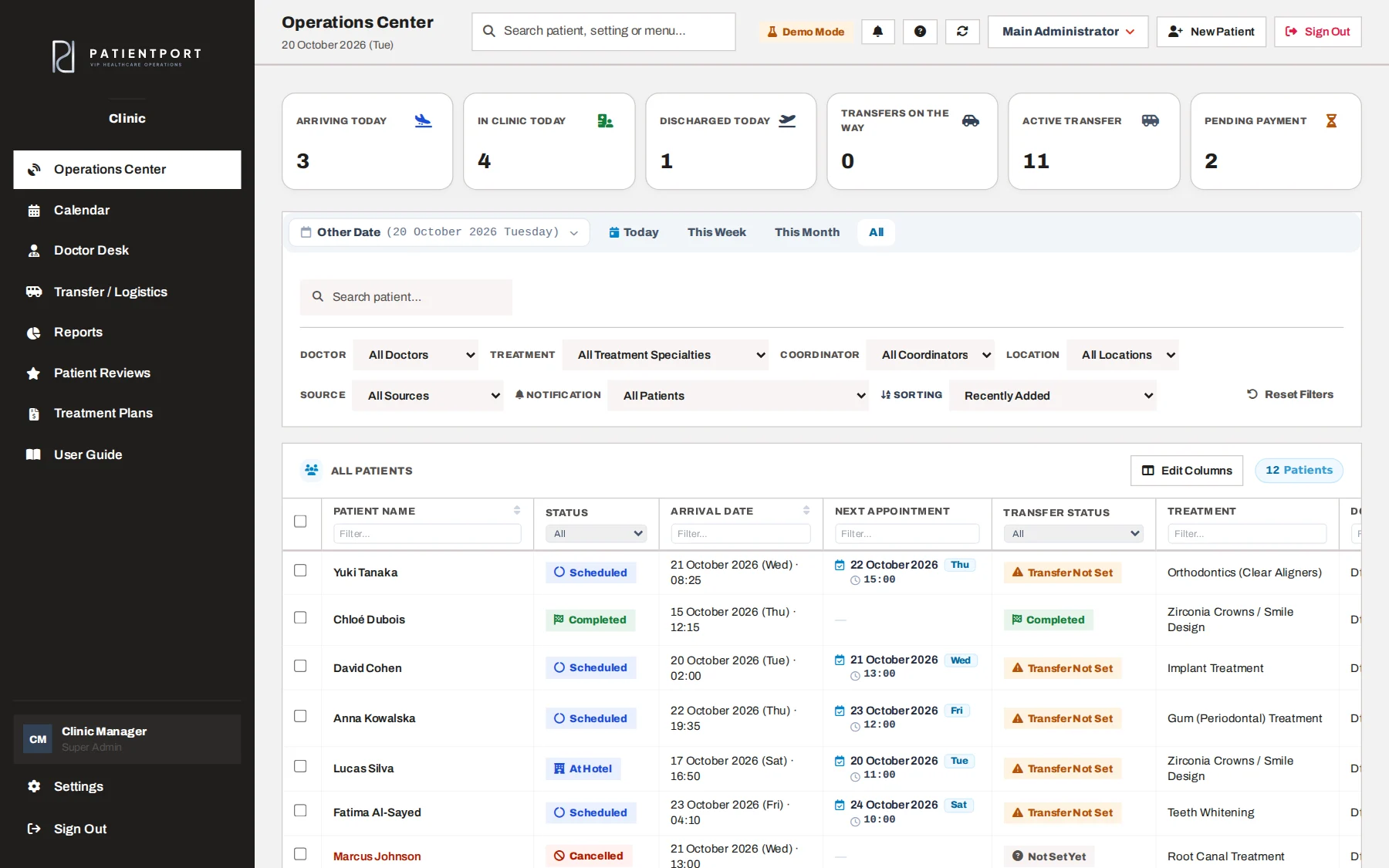
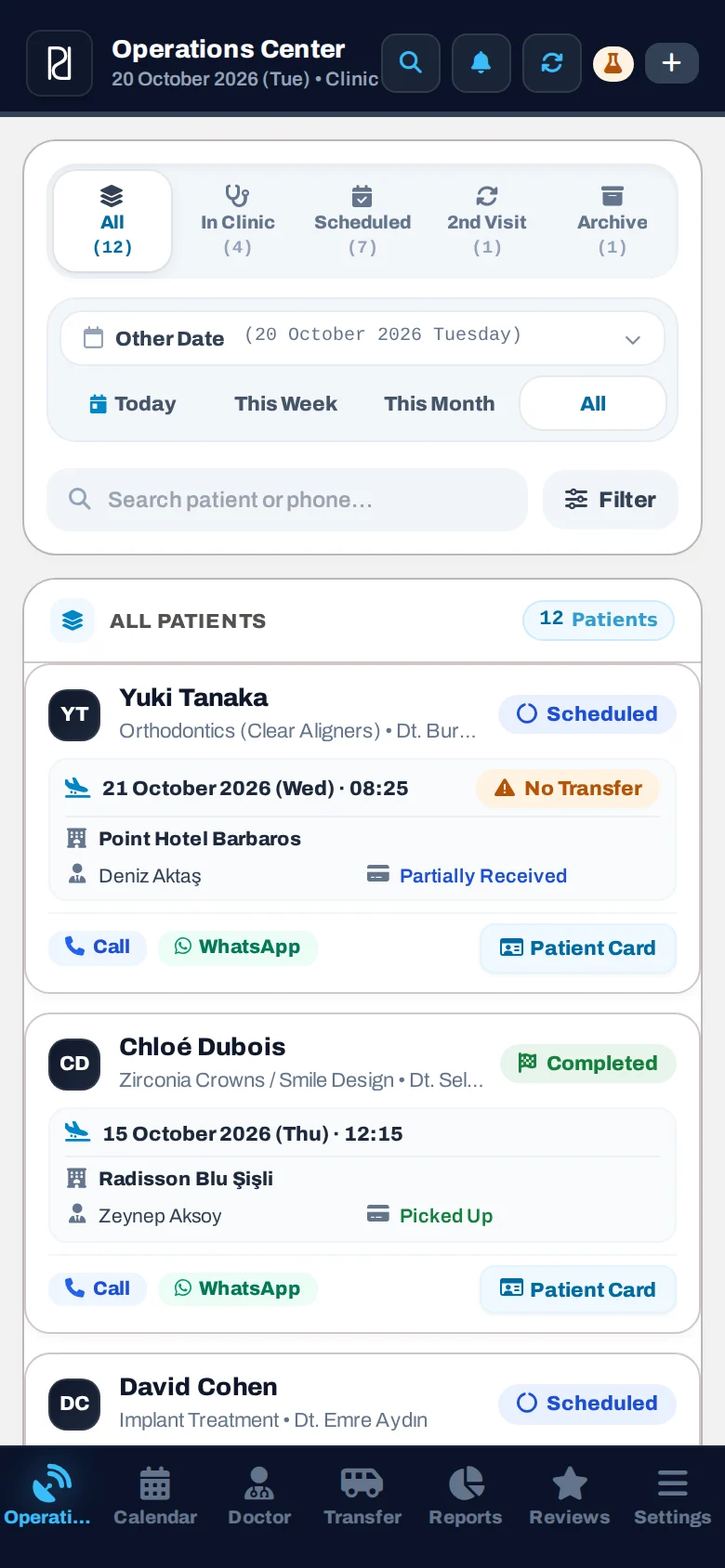
Today's summary, filters and the patient list. Status badges (Scheduled, At Hotel, At Clinic) are set automatically from the transfer records.

Let's look at this part together in a live demo.
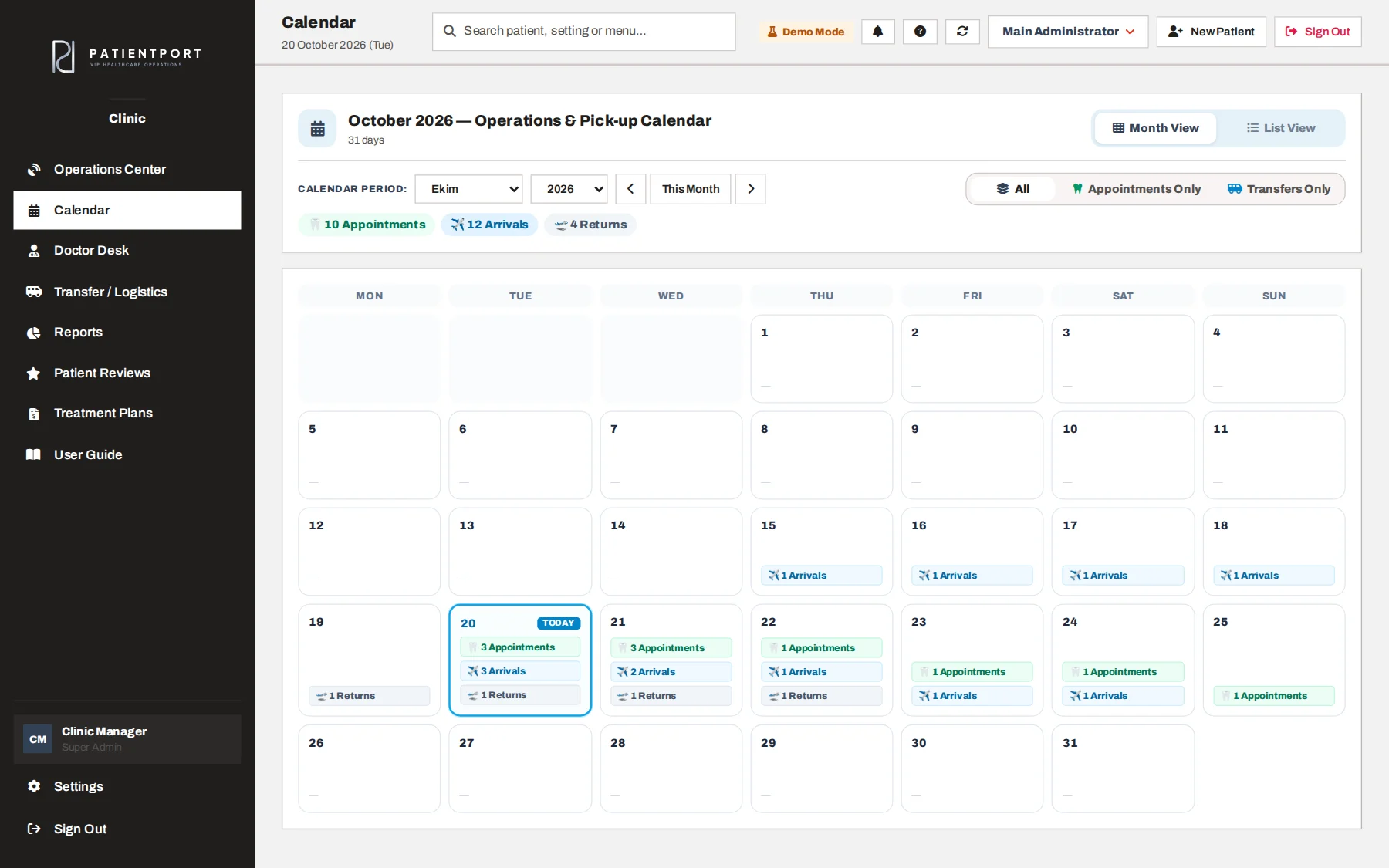
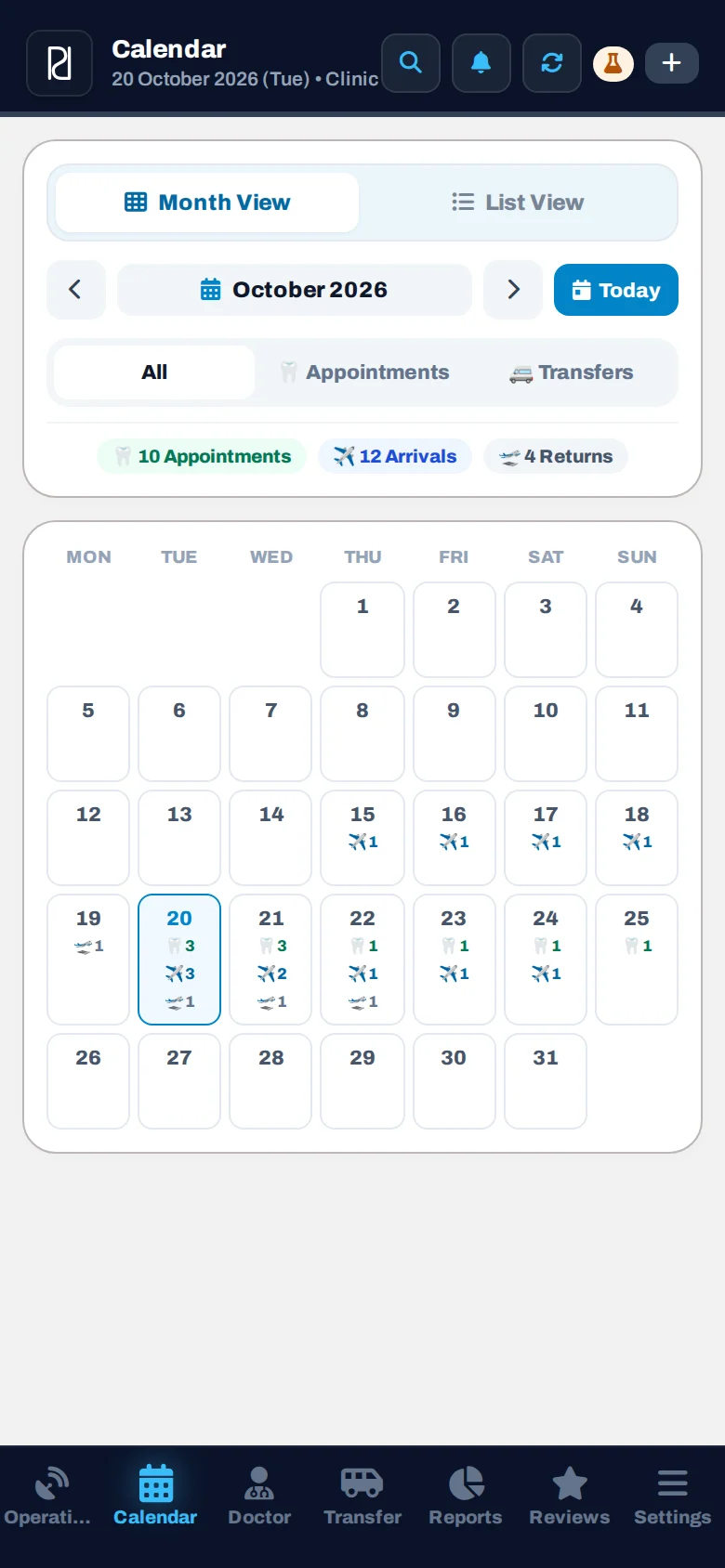
Appointments and transfers in the same calendar, with All, Only Appointments and Only Transfers filters.


Let's look at this part together in a live demo.
The default settings are shown below. The manager can change which panels, patient card sections and table columns each role and each person sees. Users without access to Settings manage their own profile.
| Screen | Super Admin | Operations | Doctor | Coordinator | Driver |
|---|---|---|---|---|---|
| Operations Center | ✓ | ✓ | ✓ | ✓ | ✕ |
| Calendar | ✓ | ✓ | ✓ | ✓ | ✓ |
| Doctor Desk | ✓ | ✓ | ✓ | ✕ | ✕ |
| Transfers & Logistics | ✓ | ✓ | ✕ | ✕ | ✓ |
| Reports | ✓ | ✓ | ✕ | ✕ | ✕ |
| Settings | ✓ | ✕ | ✕ | ✕ | ✕ |
The main differences between running operations with Excel files and messaging apps and running them on PatientPort.
| Capability | Excel + WhatsApp | PatientPort |
|---|---|---|
| One single patient record, with no duplicates | ✕ | ✓ |
| Real-time visibility across the team | ✕ | ✓ |
| Role-based access control | ✕ | ✓ |
| Automatic notifications to drivers and patients | ✕ | ✓ |
| Mobile access in the field | Partly | ✓ |
| Payment and balance tracking | In a separate file | ✓ |
| Patients can follow their own process | ✕ | ✓ |
| Who changed what, traceable afterwards | ✕ | ✓ |
In a demo call, let's look at the screen of each role in your clinic together.